
You published an incredible 3,000-word piece of content. On desktop, it looks flawless. You’ve built high-authority backlinks. Yet, your organic traffic is flatlining, and your pages are stuck in the “Crawled – currently not indexed” purgatory.
Sound familiar? If so, you are likely failing the mobile-first test.
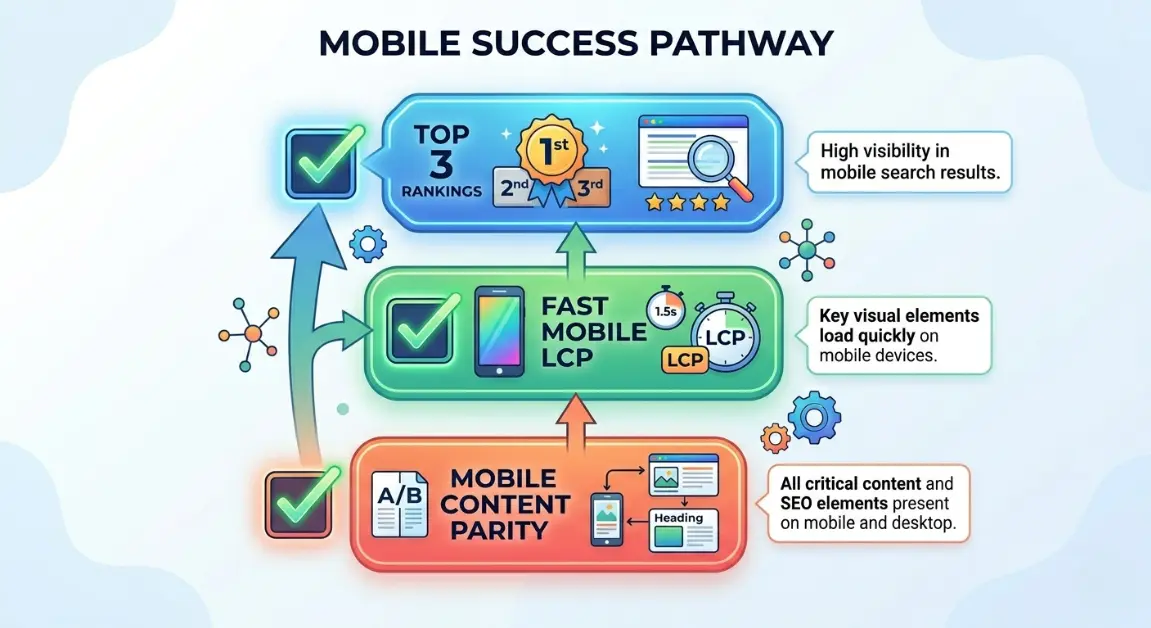
When clients ask me How to Optimize for Mobile-First Indexing 2026, I have to give them a harsh reality check: Google does not care what your site looks like on a 27-inch monitor. In 2026, Google’s smartphone crawler is the only crawler that matters. If your mobile site is missing content, has hidden internal links inside clunky hamburger menus, or takes 6 seconds to load, you do not exist in the eyes of the search engine.
For bloggers, niche site builders, and e-commerce owners, mastering How to Optimize for Mobile-First Indexing 2026 is the ultimate competitive advantage. Let’s cut the generic advice and dive into the exact technical frameworks I use to rank sites in the top 3.
Why This Matters for SEO Growth
➡️ Quick Answer: Mobile-first indexing means Google predominantly uses the mobile version of the content for indexing and ranking. In 2026, if a page element (text, link, image, structured data) is not visible in the mobile DOM, Google completely ignores it. Optimizing for mobile ensures crawlability, indexation, and survival in AI-driven search results.
Understanding How to Optimize for Mobile-First Indexing 2026 is non-negotiable because the algorithm has shifted permanently. Previously, Google might have given you a pass if your desktop site was comprehensive. Today, we see real-world ranking scenarios where an affiliate site drops from position #2 to #15 overnight simply because a developer decided to “hide” comparison tables on mobile devices to save space.
Furthermore, AI search engines (like Perplexity and ChatGPT) fetch data primarily from fast, accessible mobile interfaces. If you aren’t optimizing your Core Web Vitals for mobile, you are blinding both Googlebot and the GEO (Generative Engine Optimization) bots.
Understanding SEO Fundamentals (The Mobile Perspective)
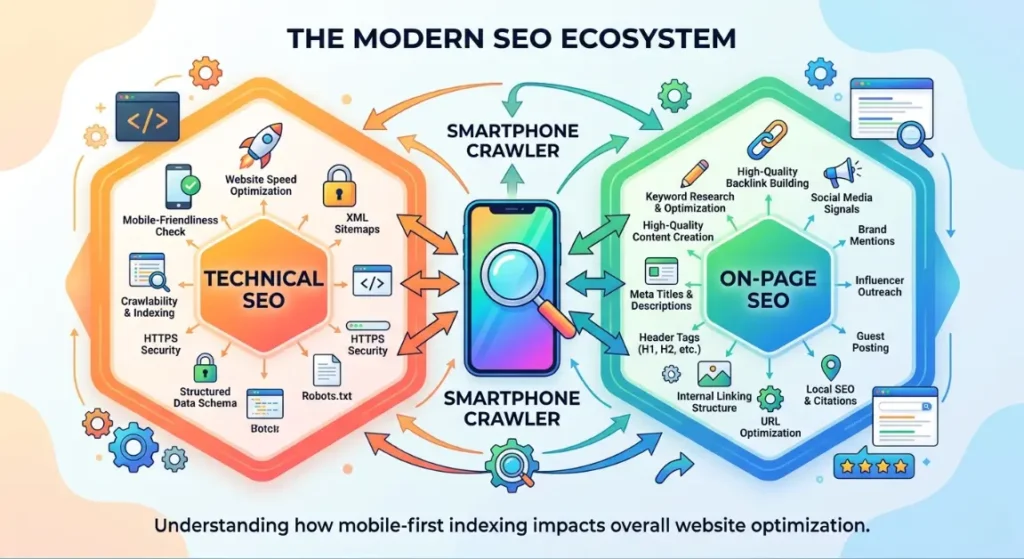
➡️ Quick Answer: Mobile SEO requires a holistic approach. On-page SEO demands scannable content. Technical SEO focuses on mobile site speed and rendering. Search intent must align with on-the-go user needs, and backlinks only drive value if the destination mobile page loads fast enough to prevent immediate bounces.
To truly grasp How to Optimize for Mobile-First Indexing 2026, you need to look at the core SEO pillars through a mobile lens:
- On-page SEO: Mobile screens are small. Giant walls of text cause pogo-sticking (users bouncing back to search results). You must use short paragraphs, bullet points, and highly visible CTA buttons.
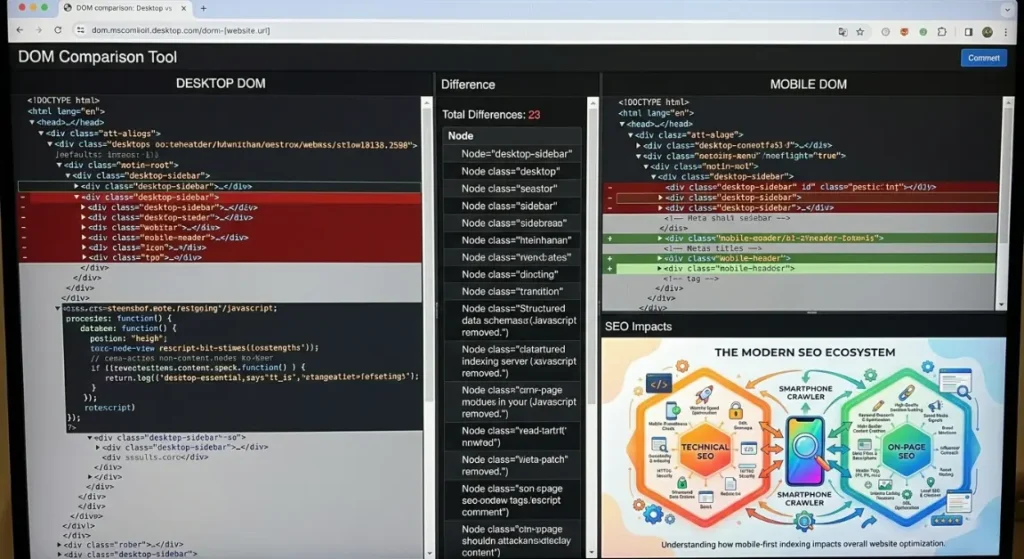
- Technical SEO: This is where the battle is won. Rendering JavaScript on a high-end MacBook is easy; rendering it on a 4-year-old Android phone on a 3G connection is hard. You must ensure your mobile DOM perfectly matches your desktop DOM.
- Backlinks: You can use Ahrefs to build the most powerful backlink profile in your niche, but if your mobile site is broken, Google will throttle your rankings due to poor Page Experience signals.
- Search Intent: A user searching on mobile often has an immediate, localized, or transactional need. This ties heavily into Local SEO “near me” queries and requires instant answers.
Advanced SEO Strategies That Actually Work
➡️ Quick Answer: Advanced mobile optimization goes beyond making a site fit a screen. It requires ensuring absolute content parity between desktop and mobile, passing mobile Core Web Vitals, optimizing for voice search entities, and utilizing modern responsive web design architectures without bloat.
Here is the exact framework for How to Optimize for Mobile-First Indexing 2026 that I deploy for my enterprise and affiliate clients.
1. Achieving 100% Content & Link Parity
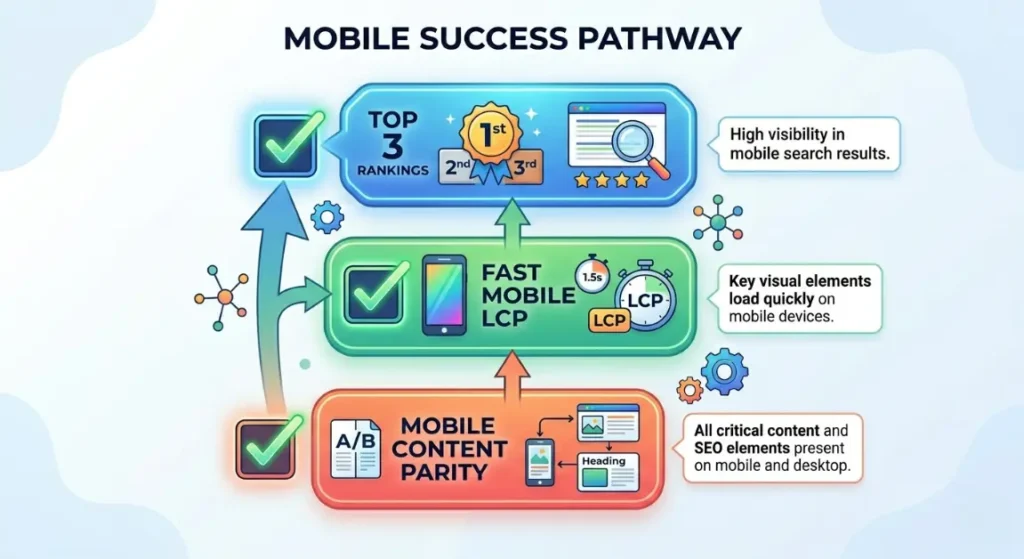
- What it is: Ensuring that every single piece of text, image, video, internal link, and schema markup present on the desktop version is exactly the same in the mobile HTML DOM.
- When to use: Immediately. This is step one in any mobile SEO audit checklist.
- Pros: Prevents massive traffic drops caused by “hidden” mobile content.
- Cons: Can make mobile UI design challenging when dealing with large data tables.
- Difficulty: Medium.
- Real Example: Creating a Step-by-step guide to mobile-first content parity for a SaaS client. They used a responsive design that removed their footer links on mobile to “clean up” the look. Since Google only crawls the mobile version, the site lost 40% of its internal pagerank flow. We restored the links into a mobile accordion, and rankings recovered in 14 days.
2. Passing Mobile Core Web Vitals (INP & LCP)
- What it is: Fixing Interaction to Next Paint (INP) and Largest Contentful Paint (LCP) specifically for mobile devices throttling CPU and network speeds.
- When to use: When Google Search Console shows poor mobile URLs.
- Pros: Direct ranking boost; massive increase in mobile conversion rates.
- Cons: Highly technical; often requires custom development to defer third-party JavaScript.
- Difficulty: Advanced.
- Real Example: A client asked How to fix Core Web Vitals for mobile sites. Their LCP was 4.5 seconds on mobile due to a massive hero image. We implemented explicit <link rel=”preload”> for the mobile-sized WebP image and delayed their chat widget JS. Mobile LCP dropped to 1.8s.
3. Implementing Modern Responsive Web Design 2026
- What it is: Using fluid grids, flexible images, and modern CSS (like CSS Grid and Flexbox) rather than outdated dynamic serving (serving different HTML based on the user agent).
- When to use: Always. Google strongly prefers Responsive web design 2026 standards.
- Pros: Single codebase; eliminates the risk of canonical errors between m.dot and desktop sites.
- Cons: Requires rigorous cross-browser testing.
- Difficulty: Medium.
- Real Example: Moving an old e-commerce brand off a legacy “m.site.com” subdomain to a unified responsive architecture. This consolidated their crawl budget and solved a massive indexing bottleneck.
4. Advanced Mobile UI/UX for E-commerce
- What it is: Designing mobile product pages for tap targets, thumb zones, and instant checkout.
- When to use: When optimizing product pages and category archives.
- Pros: Skyrockets mobile sales and dwell time (a massive user signal).
- Cons: Design-heavy; requires constant A/B testing.
- Difficulty: Medium.
- Real Example: Executing the Best mobile-first indexing practices for e-commerce 2026. We moved the “Add to Cart” button to a sticky footer on mobile, ensuring it was always in the user’s “thumb zone.” This decreased bounce rates by 15%, signaling to Google that the page perfectly satisfied commercial intent.
5. Voice Search Optimization & AEO Integration
- What it is: Structuring mobile content to answer conversational queries (who, what, where, why) using natural language, directly targeting featured snippets and AI overviews.
- When to use: When targeting top-of-funnel informational keywords.
- Pros: Captures zero-click search traffic and voice assistant referrals.
- Cons: Highly competitive.
- Difficulty: Medium.
- Real Example: Leveraging Voice search optimization for a local plumber. We built a mobile-fast FAQ section answering “Why is my sink leaking underneath?” in direct 40-word blocks. This captured the Google Assistant voice snippet within a week.
6. Local SEO “Near Me” Entity Optimization
- What it is: Embedding localized schema markup and optimizing Google Business Profiles so the mobile crawler accurately maps your business to the user’s GPS coordinates.
- When to use: Essential for brick-and-mortar or local service area businesses.
- Pros: Dominates the localized Map Pack on mobile devices.
- Cons: Requires strict consistency of Name, Address, Phone (NAP) data across the web.
- Difficulty: Easy.
- Real Example: Injecting specific geo-coordinates into the local business schema of a mobile site, ensuring that when users searched “coffee near me” on their phones, the entity connection was instant.
Common SEO Mistakes to Avoid
➡️ Quick Answer: The biggest mobile SEO mistakes are hiding critical content behind un-crawlable tabs, using interstitial pop-ups that block the screen, ignoring mobile site speed, and failing to verify that mobile schema markup matches desktop schema. These errors guarantee a loss of rankings.
If you are struggling with How to Optimize for Mobile-First Indexing 2026, ensure you aren’t committing these cardinal sins:
- Hiding Internal Links: Putting your main navigation into a JavaScript-heavy hamburger menu that Screaming Frog or Googlebot cannot render. Always use simple HTML/CSS for mobile menus.
- Intrusive Interstitials: Showing a massive email pop-up the second a user lands on your mobile site. Google’s mobile algorithm actively penalizes pages where the main content is obscured.
- Desktop vs Mobile Schema Mismatch: Often, developers will only inject structured data (like Review or Product schema) into the desktop header. If it’s not in the mobile DOM, Google drops your rich snippets.
- Ignoring Search Intent: Mobile vs desktop intent can differ. If a user is on mobile, they usually want fast, actionable data. Don’t force them to scroll past a 500-word intro just to find a recipe or a download link.
SEO Tools Comparison Table
To successfully audit and master How to Optimize for Mobile-First Indexing 2026, you need the right tech stack. Here is my definitive 2026 tool comparison:
| Tool | Best For | Difficulty | Cost | Rating |
| Ahrefs | Backlink tracking & Mobile SERP checking | Medium | High | ⭐⭐⭐⭐⭐ |
| SEMrush | Keyword research & Mobile visibility gaps | Medium | High | ⭐⭐⭐⭐ |
| Google Search Console | Mobile usability & Crawl stats | Easy | Free | ⭐⭐⭐⭐⭐ |
| Screaming Frog | Mobile User-Agent crawls & DOM parity | Advanced | Medium | ⭐⭐⭐⭐⭐ |
| Mobile-Friendly Test (API) | Real-time rendering checks | Easy | Free | ⭐⭐⭐⭐ |
Sample SEO Strategy Stacks
Stack 1: Beginner SEO Stack (Bloggers)
- Theme: GeneratePress (Mobile-first responsive out of the box).
- Plugin: RankMath (Ensures schema is injected on both device types).
- Audit Tool: Google Search Console (Monitor the “Mobile Usability” report).
- Goal: Learn the basics of How to Optimize for Mobile-First Indexing 2026 without coding.
Stack 2: Affiliate Site Stack (Niche Builders)
- Mobile Testing: Chrome DevTools (Simulating 3G network speeds).
- Speed: WP Rocket (Separate mobile caching cache enabled).
- Tracking: Clicky or GA4 (Segmenting mobile vs desktop conversion rates).
- Goal: Ensure comparison tables scroll horizontally on mobile without breaking the viewport, maximizing affiliate CTR.
Stack 3: Programmatic SEO Stack (Enterprise/Scale)
- Architecture: Next.js (Server-side rendering for perfect mobile indexing).
- Crawling: Screaming Frog (Running custom JavaScript rendering crawls using the Google Smartphone User-Agent).
- Monitoring: Log file analysis to ensure Googlebot Smartphone is actually hitting the right endpoints.
- Goal: Manage 100,000+ pages with zero mobile indexing lag.
SEO Cost Breakdown
➡️ Quick Answer: Optimizing for mobile-first indexing requires budget allocation. Expect to spend $150–$300/year on premium lightweight themes and caching plugins. A professional mobile technical SEO audit ranges from $1,000–$3,500. Quality content and link building will demand an ongoing budget of $1,000–$5,000+ monthly.
- Tools Cost: Ahrefs ($129+/mo), Screaming Frog ($259/yr).
- Developer Cost: If your site requires custom CSS grid rebuilds for responsive design, expect to pay a developer $80-$150 per hour.
- Content Cost: Restructuring old, blocky content into mobile-friendly formats (AEO optimization) will cost $50-$150 per article if outsourced to a good editor.
Related Articles
To truly dominate search, interlink your knowledge. Read our related guides:
- The Ultimate Mobile SEO Audit Checklist for 2026
- Responsive Web Design 2026 vs Dynamic Serving: Which is Better?
- How to Fix Core Web Vitals for Mobile Sites Fast
- Best Mobile-First Indexing Practices for E-commerce 2026
FAQs (AEO Optimized)
How to Optimize for Mobile-First Indexing 2026?
To master How to Optimize for Mobile-First Indexing 2026, you must ensure 100% parity between your desktop and mobile sites. The mobile version must contain the exact same content, internal links, meta tags, and structured data. Additionally, utilize responsive web design, eliminate intrusive interstitials, and optimize mobile Core Web Vitals to guarantee the smartphone crawler indexes your page correctly.
What is the difference between mobile-friendly and mobile-first indexing?
Mobile-friendly means your site looks good on a phone (text is readable, links are clickable). Mobile-first indexing means Google only uses your mobile site to evaluate your content and calculate your rankings. Your site can be “mobile-friendly” visually, but still fail mobile-first indexing if you hide text or links on the mobile version.
How do I check if my site has mobile indexing issues?
Log into Google Search Console, navigate to the “Pages” report, and filter by the “Googlebot Smartphone” crawler. Look for errors like “Page is not mobile-friendly,” “Clickable elements too close together,” or “Content wider than screen.” You should also crawl your site with Screaming Frog using the smartphone user-agent to verify all links are found.
How to fix Core Web Vitals for mobile sites?
Fixing mobile Core Web Vitals requires reducing payload sizes for slower networks. Preload your mobile LCP image (usually a hero banner), convert images to WebP/AVIF, and most importantly, defer third-party JavaScript to fix Interaction to Next Paint (INP). Using a CDN with edge caching also severely reduces server response times for mobile users.
What are the best mobile-first indexing practices for e-commerce 2026?
The best mobile-first indexing practices for e-commerce 2026 include keeping product descriptions fully visible in the mobile DOM (avoiding “read more” JavaScript that hides text from crawlers), ensuring mobile product schema is intact, optimizing image load times, and placing CTAs in the ergonomic thumb zone to boost mobile user experience signals.
Final Thoughts
Figuring out How to Optimize for Mobile-First Indexing 2026 is the ultimate dividing line between websites that thrive in the AI era and those that slowly bleed traffic. Google’s smartphone crawler does not forgive technical bloat, hidden content, or poor user experience.
Stop treating your mobile site as an afterthought or a “lite” version of your desktop site. It is your only site in the eyes of the algorithm. Conduct a rigorous DOM parity audit today, streamline your mobile Core Web Vitals, and ensure every single internal link is accessible on a 5-inch screen.
Call To Action
Are you still seeing “Crawled – currently not indexed” How to Optimize for Mobile-First Indexing 2026 in GSC? Don’t let bad mobile architecture destroy your hard work. Review your site using the strategies above, and start fixing your mobile parity today.
Need a deep dive into your site’s mobile code? How to Optimize for Mobile-First Indexing 2026 Subscribe to our newsletter for weekly, no-BS technical SEO tutorials, or drop your URL in the comments below, and I’ll give you a rapid-fire mobile SEO assessment!
Leave a Reply