
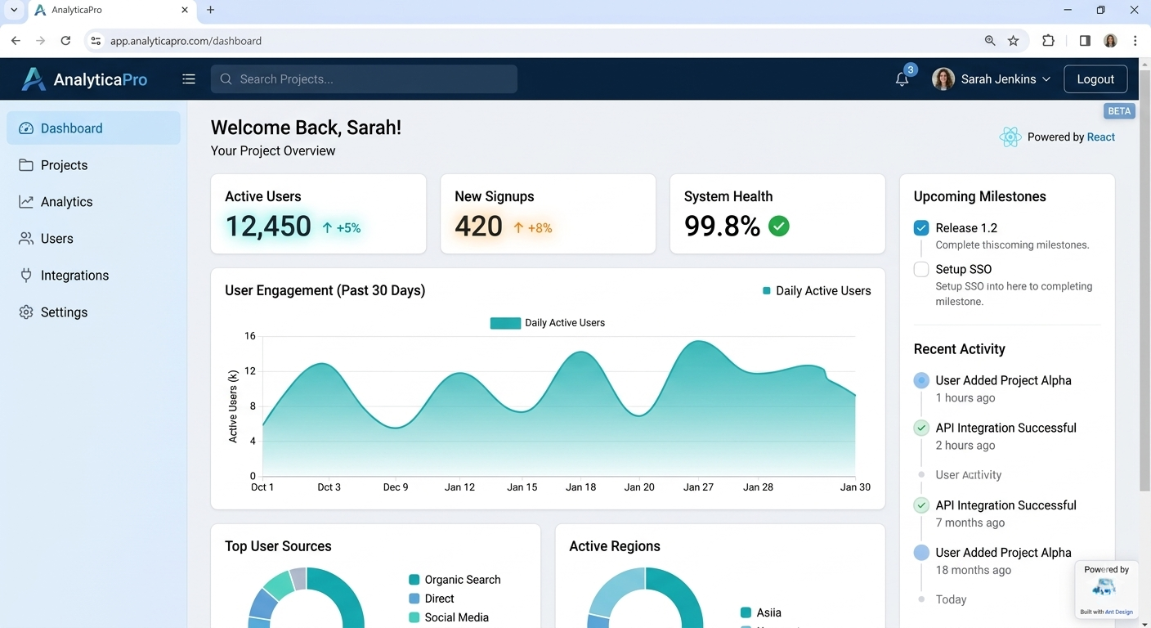
A lot of startup founders and small business owners come to me over coffee and ask the exact same question. They have a brilliant idea for a digital product, a limited budget, and a whole lot of confusion about how to actually get it built. They spend hours late at night Googling the difference between web app and mobile app which to choose, hoping for a simple, straight answer. But instead, most tech blogs just throw heavy corporate buzzwords and confusing jargon at them. Today, we’re changing that and keeping it entirely human.
In this guide, I’ll walk you through everything you need to know about the difference between web app and mobile app which to choose for your specific business goals. We’ll talk about realistic development costs, the actual frameworks we developers use in the trenches, and how to set your project up for success.
Whether you are building your very first web app, planning to launch a startup MVP to secure funding, or trying to digitize a local brick-and-mortar store, understanding this choice can literally save you thousands of dollars and months of headaches. Making the wrong technical choice early on is incredibly expensive to fix later. Grab your coffee, pull up a chair, and let’s dive deep into the difference between web app and mobile app which to choose.
Why This Matters for Small Businesses
Why is understanding the difference between web app and mobile app which to choose so critical right out of the gate? Because making the wrong call here is like laying the wrong foundation for a physical building. You might not notice it on day one, but six months down the line, when you want to add new features or scale up to handle more traffic, the digital walls will start cracking.
I see small businesses make the exact same mistakes over and over again. A very common one is jumping straight into native app development just because they love the idea of seeing their company logo sitting on the Apple App Store. They will happily spend $40,000 on a custom iOS app, only to realize later that their customers actually prefer booking appointments through a standard web browser on their laptop.
Take a recent client of mine, a local restaurant owner who wanted a custom ordering system to bypass delivery app fees. He sat down with me and asked, “Is a web app or mobile app better for a small retail business?” He assumed he absolutely needed a downloadable mobile app. But when we dug into his analytics and looked closely at his user engagement metrics, we saw that 85% of his traffic came from hungry people clicking a Google Maps link on their phones while driving. Forcing those people to stop, open an app store, and download a 50MB app just to order a burger would completely kill his conversion rate.
Instead of an app, we built a highly responsive web application. We saved him over $20,000 in upfront costs, and his online orders tripled within the first month. Knowing the difference between web app and mobile app which to choose is really about understanding your customers’ actual behavior, not just chasing shiny new technology.
Understanding the Basics
Before we dig deeper into the technical difference between web app and mobile app which to choose, let’s strip away the complex developer jargon and understand the core mechanics of how these digital products actually function.
Think of your software project exactly like running a restaurant.
The Frontend is the dining area. It’s what your customers see, touch, and interact with directly. It’s the menus, the tables, the lighting, and the decor. In a web application, this is built with code like HTML, CSS, and JavaScript. In a mobile app, it’s the physical screens and buttons downloaded to your phone.
The Backend is the kitchen. Your customers never step foot in it, but it’s where all the heavy lifting and actual work happens. It processes the complex orders, handles the business logic, calculates the math, and communicates with the staff.
The Database is your pantry. It securely stores all your raw ingredients in the software world, this means user profiles, secure passwords, product lists, and historical order data.
The API (Application Programming Interface) is the waiter. The waiter takes orders from the dining area (the frontend), carries them to the kitchen (the backend), and brings the prepared food back to the customer.
Hosting is the physical building you lease to run your business. Without paying for a server to host your app, you have no business location on the internet.
When you sit down to do a serious development cost comparison, you are essentially pricing out how complex you want your dining room and kitchen to be. A web application runs seamlessly through a web browser (like Google Chrome or Apple Safari). A mobile app, on the other hand, is a packaged piece of software downloaded from an app store that lives directly on the user’s physical device.
Understanding these moving parts is step one. Once you know how the kitchen operates, answering the difference between web app and mobile app which to choose becomes much less intimidating for a non-technical founder.

Key Options / Technologies Explained
When you are deciding on the difference between web app and mobile app which to choose, you need to know what tools developers actually reach for to build them. There are dozens of frameworks out there, but let’s break down the most reliable, industry-standard technologies in plain English.
Traditional Web Applications (React / Next.js)
Overview
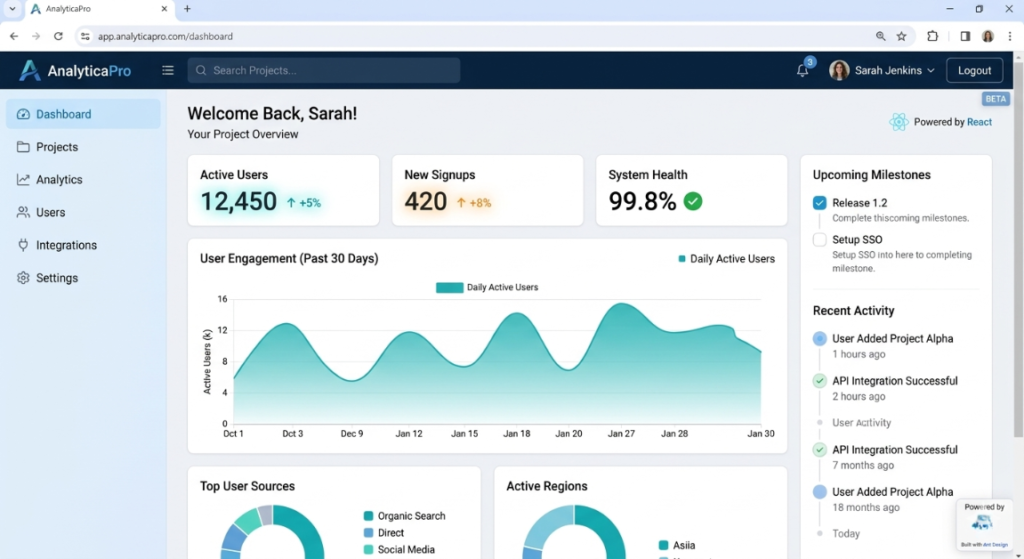
These are applications you access strictly via a web browser. They look and feel like standard websites but have complex, interactive functionality under the hood, like a user dashboard, a CRM, or a design tool (think Canva or Airbnb). They run entirely on remote servers and don’t require any downloads, updates, or installations from an app store.
Best For
Small businesses, B2B software companies, SaaS startups, and platforms where users are likely sitting at a desk on a laptop, or simply don’t want the friction of installing yet another app on their crowded phones.
Pros
- Instant Access: Users just click a simple URL and they are immediately using your product. No waiting for downloads.
- SEO Dominance: Web apps are fantastic for Search Engine Optimization. Every page can be indexed and ranked by Google, driving organic traffic.
- Effortless Updates: When you find a bug, you fix it on your server once, and the update is instantly pushed to every single user globally.
Cons
- Zero Offline Functionality: If your user loses their Wi-Fi or cellular connection, a traditional web app becomes completely useless.
- Limited Hardware Access: A browser application cannot easily or securely access deep device hardware like advanced camera controls, Bluetooth connections, or background processing.
Estimated Cost
$5,000 – $25,000
Learning Curve
Moderate
Real-World Use Case
A local accounting firm building a secure, internal client portal. Clients simply log in through their desktop browser to upload sensitive tax documents and view their financial returns without needing to download anything.
Progressive Web Apps (PWAs)
Overview
A Progressive Web App (PWA) is essentially a web app that has been trained to act exactly like a native mobile app. You visit a website on your phone, and your browser prompts you to “Add to Home Screen.” It places an app icon right next to your real apps. Many founders eventually ask me how to convert a responsive website into a progressive web app because it offers the absolute best of both worlds without paying exorbitant app store fees.
Best For
E-commerce stores, digital news publications, media sites, and local businesses wanting a mobile-like presence without fronting heavy native app costs.
Pros
- No App Store Fees: You completely bypass Apple and Google’s ecosystem, avoiding their infamous 15-30% revenue cuts on digital goods.
- Offline Functionality: PWAs provide decent offline functionality by intelligently caching data on the user’s phone, allowing them to browse previously loaded pages without internet.
- Universal Reach: Excellent cross-platform compatibility. It works seamlessly on iOS, Android, macOS, and Windows devices from a single web codebase.
Cons
- Platform Restrictions: Push notification delivery can sometimes be restricted or harder to configure securely on Apple iOS devices compared to the much friendlier Android ecosystem.
- Performance Ceilings: It is still ultimately running inside a browser wrapper, so it will never be quite as hardware-integrated or fast as a purely native app.
Estimated Cost
$8,000 – $30,000
Learning Curve
Moderate
Real-World Use Case
Starbucks famously built a PWA that allows their on-the-go customers to browse the coffee menu, view pricing, and customize orders even when they temporarily lose internet connection while riding the underground subway. The Complete Web Application Development Guide for Small Businesses (2026)
Cross-Platform Mobile Apps (React Native / Flutter)
Overview
Historically, if you wanted an app, you had to pay to build it twice once for Apple, once for Android. Cross-platform tools changed the game. They let developers write the core code just once, and then deploy it simultaneously to both major app stores. When navigating the difference between web app and mobile app which to choose, this is often the ultimate sweet spot for startups wanting a downloadable app on a tight budget.
Best For
Startups, tech-enabled service businesses, and companies that absolutely must have an app store presence but are operating on a strict financial runway.
Pros
- Budget Friendly: You will see massive savings on a development cost comparison versus native, often cutting the price tag almost in half.
- Code Reusability: You achieve incredible cross-platform compatibility from a single, unified codebase, making updates much faster for your development team.
- Speed to Market: You can launch on both Apple and Android at the exact same time, capturing your entire audience instantly.
Cons
- Slight Lag: Because the code has to translate to native components, it can be slightly slower than purely native apps.
- Animation Stutter: Highly complex, fluid animations or intense graphics might drop frames or stutter on older, budget smartphones.
Estimated Cost
$15,000 – $40,000
Learning Curve
Moderate to Advanced
Real-World Use Case
A remote fitness coach launching a subscription workout app. They need offline video playback and complex rest-timer features on both iOS and Android platforms, but they cannot afford to hire two completely separate development teams.
Native App Development (Swift for iOS / Kotlin for Android)
Overview
Native app development means writing completely specialized code specifically for one operating system. Developers use Swift to build for Apple devices, and Kotlin to build for Android devices. This is the heavy-duty, traditional, uncompromised way of building top-tier mobile applications, difference between web app and mobile app which to choose.
Best For
High-performance 3D games, applications relying heavily on AR/VR, or large enterprise companies with massive budgets and zero tolerance for performance drops.
Pros
- Flawless Performance: You get maximum processing speed, butter-smooth scrolling, and flawless animations.
- Hardware Mastery: Full, unrestricted access to device hardware, including Bluetooth low-energy, advanced camera APIs, and gyroscopic sensors.
- Reliable Alerts: The absolute most reliable and instantaneous push notification delivery system possible.
Cons
- Astronomical Costs: It is extremely expensive because you are quite literally paying for two distinct apps to be built by two distinct sets of specialized developers.
- Maintenance Nightmare: Slower development cycles and you have to manage two separate codebases for every single bug fix or feature update.
Estimated Cost
$30,000 – $100,000+ (to cover both platforms)
Learning Curve
Advanced
Real-World Use Case
A high-end real estate startup building an app that uses complex augmented reality (AR) to let users place virtual, 3D furniture perfectly inside empty rooms using the phone’s high-end camera sensors.

Options to Avoid (Common Mistakes)
When figuring out the difference between web app and mobile app which to choose, it’s remarkably easy to fall into expensive traps. As a technical consultant, I easily spend half my time rescuing projects that made bad, uninformed early decisions. Here are the options and mistakes you should actively avoid at all costs.
Mistake 1: Over-engineering the MVP
I regularly sit down with founders wanting to build a Netflix-level backend architecture for an app that currently has zero paying users. They insist on complex microservices, massive server clusters, and dual native app development from day one.
- Why it’s risky: You will completely burn through your startup budget before you even know if real customers actually want your product. Doing a realistic, honest cost-benefit analysis of web app vs native mobile app development almost always points to starting simpler.
- What to do instead: Build a highly responsive web app or a simple PWA first. Put it in front of users, test the market demand, gather real user engagement metrics, and iterate based on feedback, not assumptions.
Mistake 2: Choosing an Obscure or Dying Tech Stack
Sometimes an aggressive agency will pitch a proprietary, locked-down framework or a deeply outdated technology just because that’s what their aging in-house team knows best.
- Why it’s risky: If that agency disappears, goes bankrupt, or you have a falling out, you will struggle to find new developers willing to take over the messy code. You will be held hostage by the code, and you will likely lose any cross-platform compatibility you originally hoped for.
- What to do instead: Always demand that your project is built on highly popular, heavily documented open-source frameworks like React, Node.js, Next.js, or Flutter.
Mistake 3: Forcing a Mobile App When a Web App Will Do
This takes us right back to the question: Is a web app or mobile app better for a small retail business? If your digital tool is something people only use once a month (like paying a utility bill or checking a specific local schedule) difference between web app and mobile app which to choose, do not force them to download an app.
- Why it’s risky: You will face incredibly high abandonment rates. Modern users have massive app fatigue and deeply hate giving up precious phone storage for an app they barely use.
- What to do instead: Build a slick, incredibly fast mobile-optimized web application. If they ask how to convert a responsive website into a progressive web app later, it’s a much cheaper, easier pivot than abandoning a fully built native app no one downloads.
Technology Comparison Table
| Technology | Best For | Difficulty | Cost | Business Rating |
| Web App (React/Next) | B2B, SaaS, Client Portals | Easy | Low | ⭐⭐⭐⭐⭐ |
| Progressive Web App (PWA) | E-commerce, Media, Retail | Medium | Medium | ⭐⭐⭐⭐ |
| Cross-Platform (Flutter) | Startups needing app stores | Medium | Medium | ⭐⭐⭐⭐ |
| Native iOS (Swift) | High-performance, AR apps | Hard | High | ⭐⭐⭐ |
| Native Android (Kotlin) | Hardware-heavy integrations | Hard | High | ⭐⭐⭐ |
Sample Web App Tech Stacks
To make this completely practical, let’s look at exactly what technologies I would recommend if you hired me as your architect today. When discussing the difference between web app and mobile app which to choose, seeing the actual, tangible tech stack makes the abstract concepts real. Here are three common, battle-tested setups we build for small businesses.
Stack 1: Startup MVP Stack
When you just need to get your core idea out of your head and into the world fast and cheap to validate it, this is the ultimate go-to.
- Frontend: React (Fast, component-based, massive talent pool)
- Backend: Node.js (Using Express.js for simple API routing)
- Database: MongoDB (Flexible, fast NoSQL database)
- Hosting: Vercel (for frontend speed) & Heroku (for simple backend hosting)
- Estimated Cost: $20 – $50/month
- Best For: Bootstrapped MVP startups wanting to test the market quickly without taking on massive server overhead.
Stack 2: Small Business Website with Portal
If you run an established service business and need a deeply reliable, highly SEO-friendly site where your clients can log in securely to view their data.
- Frontend: Next.js (Incredible for SEO and fast page loads)
- Backend: Node.js
- Database: PostgreSQL (Rock-solid, structured relational data)
- Hosting: DigitalOcean Droplets or AWS Lightsail
- Estimated Cost: $40 – $100/month
- Best For: Service-based businesses, local marketing agencies, accounting firms, and real estate brokerages.
Stack 3: Scalable SaaS Platform
When you are building a serious software-as-a-service (SaaS) product that expects high traffic spikes, handles complex data relationships, and requires bank-level security.
- Frontend: React or Vue.js
- Backend: Python (Django framework) or Ruby on Rails
- Database: PostgreSQL
- Hosting: AWS (Amazon Web Services – EC2 and RDS)
- Estimated Cost: $100+ /month (scales with user growth)
- Best For: Funded SaaS startups, large-scale enterprise platforms, and highly data-heavy applications.
These specific stacks are deeply battle-tested in the real world. If you are doing a careful cost-benefit analysis of web app vs native mobile app development, choosing to start with Stack 1 or Stack 2 is almost always the smartest, safest financial move for a growing company.
Cost Breakdown
Let’s talk frankly about money. When business owners pull me aside to ask about the difference between web app and mobile app which to choose, the raw dollar cost is usually the ultimate deciding factor in the conversation.
You cannot just look at the initial build price. Software is a living, breathing thing; it requires constant feeding, updating, and maintenance. A true, honest development cost comparison looks at the budget for year one and year two.
Here are the realistic costs you can expect when building a standard digital product in 2026:
- Freelancer Route: $2,000 – $10,000. This is great for simple web apps or basic MVPs. You essentially act as the project manager, steering the ship. It is riskier, but very budget-friendly.
- Boutique Agency Route: $10,000 – $50,000+. With an agency, you get a dedicated project manager, a UI/UX designer, and rigorous QA testing. This is the best route for serious businesses wanting peace of mind.
- Hosting & Infrastructure: $20 to $200+ per month. This varies wildly based on your monthly traffic, video hosting needs, and database size.
- Third-Party APIs: $50 – $300/month. Tools like Stripe (for processing payments), Twilio (for SMS texts), or SendGrid (for automated emails) charge based on your monthly usage.
- Ongoing Maintenance: You should conservatively budget 15-20% of your initial build cost annually to cover routine bug fixes, critical server updates, and minor aesthetic tweaks.
- Hidden App Store Fees: If you go mobile, remember Apple charges $99/year for a developer account, difference between web app and mobile app which to choose and Google charges a one-time $25 fee, plus they take a cut of digital in-app sales.
If you are a business that demands robust offline functionality or you need absolutely guaranteed, instant push notification delivery natively, your development and maintenance costs will naturally skew toward the much higher end of these brackets.
Related Articles You Might Like
If you found this technical guide useful, check out our article on how to choose a tech stack for your next web development project, where we thoroughly break down backend frameworks and hosting tools for modern startups. You might also highly enjoy our deep dive into doing a proper, mathematical cost-benefit analysis of web app vs native mobile app development for enterprise companies scaling up their very first digital product.
Frequently Asked Questions
What is the best framework for beginners?
If you are a beginner looking to genuinely understand the technical side of the difference between web app and mobile app which to choose, I highly recommend starting with React for your frontend development. It has the largest active community, endless free tutorials on YouTube, and massive libraries of pre-built UI components. If you want to learn to build a backend later, Node.js is excellent because it lets you write powerful backend server logic using the exact same JavaScript language you just learned for React.
How long does it take to build a web application?
It completely depends on the project scope, but realistically, a solid Minimum Viable Product (MVP) takes anywhere from 8 to 12 weeks to build correctly. The first two weeks are usually dedicated entirely to wireframing and UI/UX design. Weeks 3 through 9 are heavy, heads-down coding and development. The final weeks are strictly reserved for QA testing, breaking the app, fixing bugs, and server deployment. If a cheap agency promises to build a custom app from scratch in two weeks, run the other way.
How much does a small business web app cost?
For a typical small business needing a secure customer portal, an inventory dashboard, or a custom booking system, you should realistically expect to spend between $10,000 and $25,000 if using a reputable, local small agency. You can certainly hire overseas freelancers for $3,000 to $8,000, but be aware that you will need to actively project manage the daily build yourself. Always remember to factor in about $50 to $100 per month for hosting and database maintenance costs once the app goes live.
Should I hire a freelance developer or an agency?
If you have some technical experience, clear product documentation, and the daily time to manage a project, hiring a freelance developer is a fantastic way to save money. However, if you are a busy founder trying to run the day-to-day operations of your core business, hire an agency. An agency brings a complete, unified team a professional designer, a dedicated project manager, and specialized developers. It costs more upfront difference between web app and mobile app which to choose, but it practically guarantees the project actually crosses the finish line without you losing your mind.
What is the best database for web applications?
For the vast majority of modern web applications, PostgreSQL is the absolute gold standard today. It is a completely free, open-source relational database that is incredibly reliable, highly scalable, and universally loved by the global developer community. If you are building something extremely unstructured, data-heavy, or just spinning up a very quick prototype, MongoDB (which is a NoSQL database) is also a fantastic, highly flexible option. Both integrate beautifully with all modern web frameworks.
Final Thoughts
At the end of the day, fully understanding the difference between web app and mobile app which to choose isn’t about finding the objectively “best” piece of technology in the world. It’s about finding the absolute right technology for your specific business goals, your available budget, and most importantly, the daily habits of your actual users.
Don’t spend $50,000 to build a native mobile app just to satisfy your ego and see your brand’s shiny logo sitting in the App Store. Look closely at the data. Talk to your customers face to face. If they just need a quick, seamless, easy way to interact with your business online, a fast, responsive web app is almost always the smartest, most highly cost-effective path forward.
If you are still sitting at your desk tearing your hair out over the difference between web app and mobile app which to choose, my most genuine advice is to start small. Build a clean, web-based MVP, test it with real humans in the wild, actively analyze your user engagement metrics, and let the hard data dictate your next major financial investment. The technology landscape is constantly changing, but building efficient software that solves real, painful problems for your users never goes out of style.

Call To Action
I truly hope this guide cleared up the confusion regarding the difference between web app and mobile app which to choose for your next big project! Have you recently built a custom digital product for your small business, or are you still sitting on the fence trying to decide which development route to take?
Please share your experiences in the comments below, or feel free to reach out and ask any specific technical questions you might have about your upcoming build. Don’t forget to subscribe to our technical blog and follow me on social media for more practical, hype-free developer insights designed specifically for startup founders!
Leave a Reply